
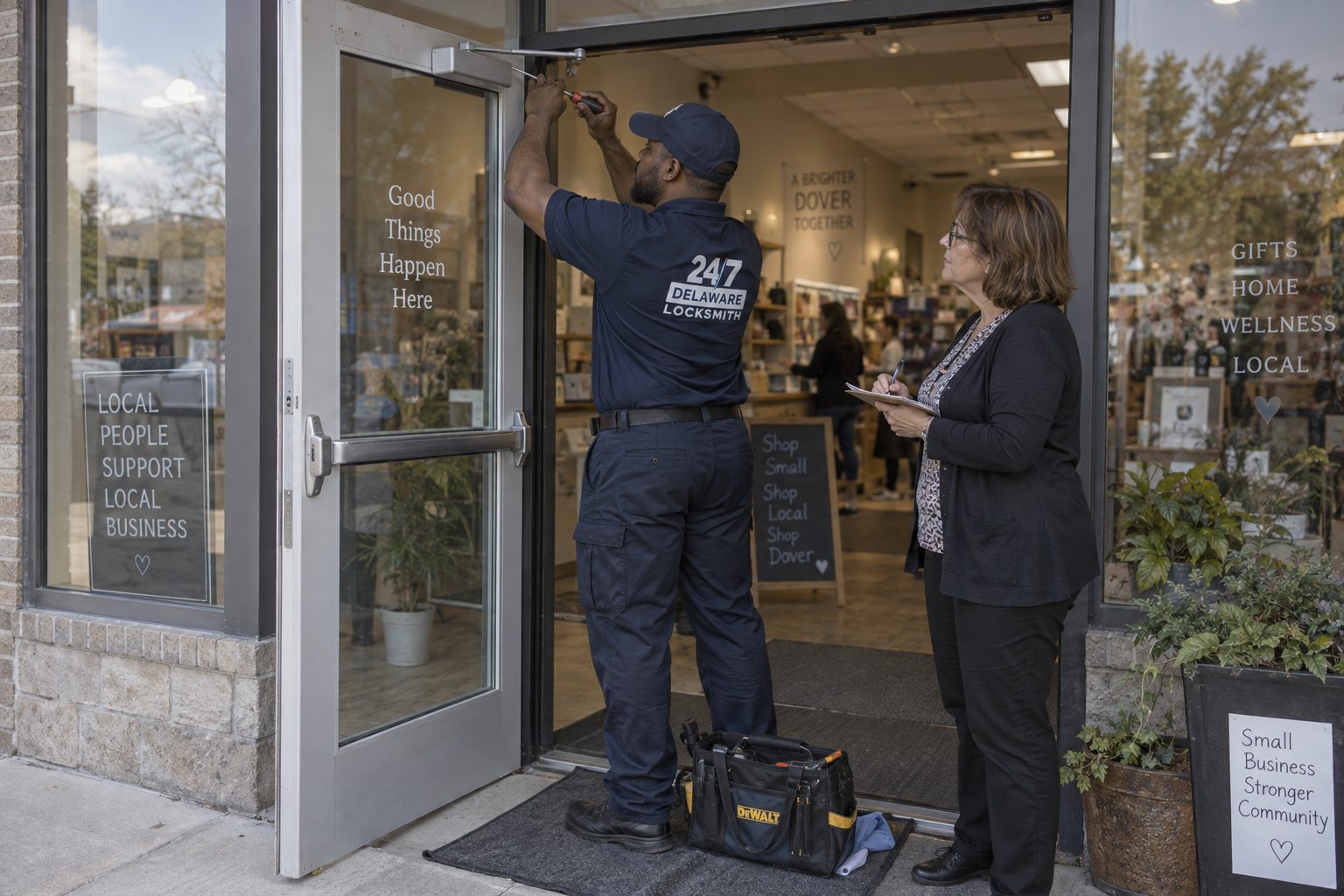
The honest starting point
What access control actually fixes
One problem, solved properly. Several others it does not touch.
It fixes the key you cannot get back
The whole case for access control is this: when someone leaves, you delete a credential in thirty seconds instead of rekeying doors and recalling keys that may never come back. For a business with any turnover, that single capability is most of the value, and it is a real one.
It tells you who opened what, and when
A key leaves no record. A credential leaves a log. That matters for stock rooms, cash areas and anywhere a question might later be asked about who was in the building at two in the morning.
It lets doors follow a schedule
Unlocked during trading hours, secured afterwards, without anyone remembering. On a building where several people lock up, that removes the commonest cause of a door being left open all weekend.
It does not make a door stronger
A reader on a weak door protects a weak door. The frame, the strike and the hardware still decide whether the opening resists force. Access control is about who is authorised, not about how much punishment the door takes, and anyone selling it as security hardware is describing the wrong thing.
The options
What you can actually put on a door
From simplest to most involved. Most businesses need less than they are shown.
Keypad, standalone
A code on the door, no wiring beyond power, no system behind it. Cheap and genuinely useful on a single interior door. The weakness is that codes get shared and rarely get changed.
Fob or card reader, standalone
Credentials programmed at the door itself. Each fob can be deleted individually, which is the main gain over a shared code. No central log.
Networked system
Readers connected back to software. Credentials, schedules and logs managed centrally across every door at once. The right answer above a handful of doors.
Electric strike
The frame-side hardware that releases when authorised. Pairs with almost any reader and keeps the existing lock and handle.
Magnetic lock
Holds the door shut with an electromagnet. Strong, but it must release on power loss and on exit, so it comes with requirements attached.
Exit device with electrified trim
Where a door needs both panic hardware and controlled entry. The exit side stays mechanical and free.
Choosing
How to pick without being sold something
Count your doors honestly
Under three doors, standalone units usually beat a networked system on every measure including cost, complexity and how long it stays working. Above about six, central management starts earning its keep, because managing credentials door by door stops being practical. Between three and six it is genuinely a judgement call and depends more on turnover than on door count.
Count your people, and their churn
A building with four permanent staff has a key control problem you can solve with a rekey and a notebook. A building with thirty people, contractors and seasonal staff does not. The rate at which people arrive and leave is the number that actually determines whether access control pays for itself.
Decide what happens when the power fails
Every powered lock has a defined behaviour on power loss: it either releases or it holds. Which one is right depends on the door, and for anything that people leave through, the answer is constrained by safety rather than preference. This is not a detail to leave to the installer without discussion.
Decide what happens when the internet fails
A networked system should keep working at the door when the connection drops, holding its credentials locally and catching up later. Some do. Some become a very expensive door handle. Ask specifically.
Ask who owns the credentials
If adding a fob requires calling the installer, you have bought a dependency rather than a system. You should be able to add and remove people yourself in under a minute, because that is the entire point.
Before you buy anything
Questions that change the recommendation
- How many doors, including the ones you forgot: plant rooms, roof access, stock cages.
- How many people, and how many arrive or leave in a typical year.
- Which doors are exits that people leave through in an emergency. Those have constraints.
- Whether the building is leased, and whether the landlord permits wiring and drilling.
- Whether there is power near the doors, or whether it has to be run. This is often the largest single cost.
- Whether you need a log of who went where, or just the ability to remove someone.
- Whether a mechanical override is needed if the system is down. On most doors the honest answer is yes.
- Who will manage it day to day, and whether they want an app, a web page or a keypad at a desk.
What goes wrong
The failures we get called to
Almost none of them are the reader.
The code everybody knows
A standalone keypad set once and never changed, shared with staff, contractors and eventually customers. It ends up functioning as a permanently unlocked door with extra steps. Codes need a rotation policy or they decay into nothing.
Nobody deletes the leavers
The system logs faithfully and the credential list grows forever, because removing people is somebody's job and it is nobody's job. Six months in, a third of the active fobs belong to people who no longer work there. The technology worked. The process did not.
The door was never right
A reader fitted to a door whose strike does not align, or whose closer does not bring it home hard enough to latch. The system reports the door as secured and it is standing ajar. We check the mechanical door before anything electronic goes on it, and this is why.
Power and weather
Exterior readers take rain and salt, and cable runs through door loops flex thousands of times until a conductor breaks. Intermittent faults on access control are far more often the cable or the power supply than the reader itself.
Doing it properly
How we approach an install
The mechanical door comes first
Before a reader is specified, the door gets checked the way any door gets checked. Does it close under its own power, does the latch seat every time, is the frame square. Putting electronics on a door that does not shut properly produces a system that reports success while the building stands open.
Then the failure mode
For each door, an explicit decision about what it does when power is lost, and whether that is permitted for that opening. Written down, not assumed. This is the single most important decision in the whole install and it is the one most often skipped.
Then the override
Every door gets a defined way in when the system is down, and everyone who needs it knows what it is. Usually a mechanical cylinder. A building where the only way in is a working system is a building that will eventually be locked out of itself.
Then the handover
You should leave the install able to add a person, remove a person, and check the log, without calling anybody. If that is not true, the install is not finished.
And a written record
Which doors, what hardware, what the failure mode is on each, and where the override cylinder keys are. The same discipline as a key schedule, for the same reason.
Cost, plainly
What actually drives the number
No figures, but the drivers are not mysterious.
Cable is usually the biggest line
Not the readers. Getting power and data to a door in an existing building, through walls, above ceilings and across a door loop, is where the labour goes. A door with power nearby costs a fraction of one without.
Doors, not people
Adding the fiftieth person to a system costs nothing. Adding the fifth door costs the same as the fourth. Price scales with openings, which is why counting doors honestly at the start matters.
Ongoing costs exist
Some systems carry a subscription for the software or the cloud service. That is not automatically bad, but it should be known at the start and compared against the alternative, because over five years it can exceed the hardware.
Where mechanical still wins
If the real problem is that eleven people have keys and three have left, a rekey and restricted key blanks solve it for a fraction of the cost of any system. We will say so when that is the honest answer.
Questions
Frequently asked
Do we still need locks if we have access control?
Yes. Every door still needs a mechanical way in when the system is down, and the physical hardware still determines how the door resists force. Access control sits alongside locks rather than replacing them.
What happens in a power cut?
That depends on how each door was configured, which should have been a deliberate decision at install. Doors people exit through generally have to release. Others may hold. If nobody can tell you what your doors do, that is worth finding out before you need to know.
Can we start with one door?
Yes, and it is often sensible. The thing to decide early is whether you might expand, because a standalone unit on door one does not become a networked system on door six without being replaced.
How do we stop staff sharing codes?
Move from codes to individual credentials. A shared code cannot be traced and cannot be revoked from one person. A fob can be deleted the day someone leaves without affecting anyone else.
Is a keypad secure enough?
For an interior door in a low-risk area, often yes. For a main entrance in a building with turnover, a shared code will be known by more people than you think within a year.
What if the system fails and we cannot get in?
That is what the mechanical override is for, and every door should have one. If a proposed install does not include a way in when the system is down, ask why.
Credentials
What people actually carry, and what each one costs you
A code in someone's head
No hardware to issue, nothing to lose, nothing to return. Also nothing to revoke individually, no record of who used it, and a strong tendency to spread. A code is the cheapest credential to run and the weakest one to control, and it suits low-risk interior doors far better than front entrances.
A fob or card
Issued to a person, deleted individually, logged individually. It can be lost, which is fine because losing one affects one person. The recurring cost is small and the control gained is the entire point. For most businesses this is the right default.
A phone
Convenient, hard to lose, and nobody lends their phone the way they lend a fob. The tradeoffs are dependence on the app, on the phone being charged, and usually on a subscription. Good for offices, less good for a warehouse where hands are full and phones are in lockers.
A fingerprint or similar
Nothing to carry and nothing to share, which is genuinely useful. But readers struggle with wet, cold or damaged hands, which describes a lot of trades work, and there are privacy and record-keeping considerations that a fob does not raise. Worth using deliberately rather than because it looks advanced.
The mechanical key you still have
Every door keeps one, for the day the system is down. It is a credential like any other and it belongs in the same record as the rest, held by the same small number of named people.
Delaware specifics
What we see locally
Building age and trade type both change the sensible answer.
Older Wilmington and Newark buildings
Thick walls, no convenient cable routes and often a landlord with a view about drilling. Standalone units at the doors that matter frequently beat a networked system here, purely because the cabling cost in a hundred-year-old building can exceed the hardware several times over.
Warehousing along the corridor
Long runs, exterior doors, and staff whose hands are full. Fobs on lanyards outperform phones and keypads in this environment, and the exterior readers need to be specified for weather rather than for looks.
Newer south county offices
Around Dover and Middletown, newer buildings with accessible ceilings and existing containment. Networked systems install cleanly and cheaply here, and this is where the full version usually makes sense.
Seasonal and multi-employer sites
Anywhere with contractors, temporary staff or shared occupancy, the ability to issue a credential that expires on a date by itself justifies the system. That single feature removes the recurring problem of access that was never withdrawn.
The process nobody plans
Access control is administration, not hardware
Somebody has to own it
The single biggest determinant of whether a system still works in two years is whether one named person is responsible for adding and removing people. Not a department, not "whoever is around", one person with a deputy. Systems that decay do so because nobody owned the list, not because the readers failed.
Removal has to be part of leaving
A credential should be deleted on the same day the person hands back their uniform, and it should be on whatever checklist that day already uses. If deletion is a separate task that someone has to remember, it will not happen reliably, and within a year the active list stops describing the actual staff.
Audit the list twice a year
Print the credential list, read the names, and delete the ones you do not recognise. It takes twenty minutes and it is the only thing that catches the accumulated drift. Almost nobody does it, and almost every system we are called to has names on it that nobody can account for.
Codes need a rotation date
If any door runs on a shared code, decide when it changes and put it in a calendar. A code with no expiry is a permanent credential given to everyone who has ever worked there.
Keep the override keys controlled
The mechanical keys that open the doors when the system is down are, by definition, keys that bypass every log and every schedule. They deserve the same care as a master key, and they should be on a restricted blank if the rest of the building is.
Coverage
Where we work
Offices, retail units, warehouses and multi-tenant buildings across both counties.
Too many keys in circulation?
Tell us how many doors and how many people, and you will get an honest answer about whether you need a system or a rekey.
Walking the door before choosing a reader
Before anyone talks about card readers or keypads, the door itself has to be walked and examined. We look at how the door is hung, whether it swings in or out, what the frame is made of, and where a power run could realistically travel. A glass storefront door with a narrow aluminum stile accepts very different hardware than a solid wood door set in a masonry wall. Some doors simply cannot take a mortise lock without weakening them, and it is better to learn that on the walkthrough than halfway into the install.
Next comes the question of what the door must do when power fails. A fail-safe lock releases without power, which suits a stairwell or an exit path. A fail-secure lock stays locked, which suits a storeroom. Choosing wrongly is a life safety problem in one direction and a security problem in the other, so we ask how people leave the space, who needs to get in after hours, and what the fire plan expects. Please have those answers roughly in mind, and we will explain the tradeoff before any scope is agreed.
Finally we check the surroundings that never appear on a product page. Humid Delaware summers can fog a reader mounted in a poorly sheltered entry, and winter freeze can stiffen cables and strain a door that already sticks. We note where moisture collects, where a delivery cart might strike the hardware, and whether the frame has been repainted so many times the strike no longer sits flush. Call us to talk through the door and to confirm availability for a visit; the scope and any quote are explained before work begins.